Bokoblin Axe Fight1 / 6

Unofficial fan project · Beta · Open source

Step into the wild.

The Legend of Zelda: Breath of the Wild in first-person VR, running natively on Apple Vision Pro. No PC. No streaming. Open source.

Captured on Apple Vision Pro (M5) · Game content © Nintendo

01 Install

Install with the Mac installer.

One Mac app builds, signs and installs SheikahVision from your own Wii U game files, then sends the game to your headset.

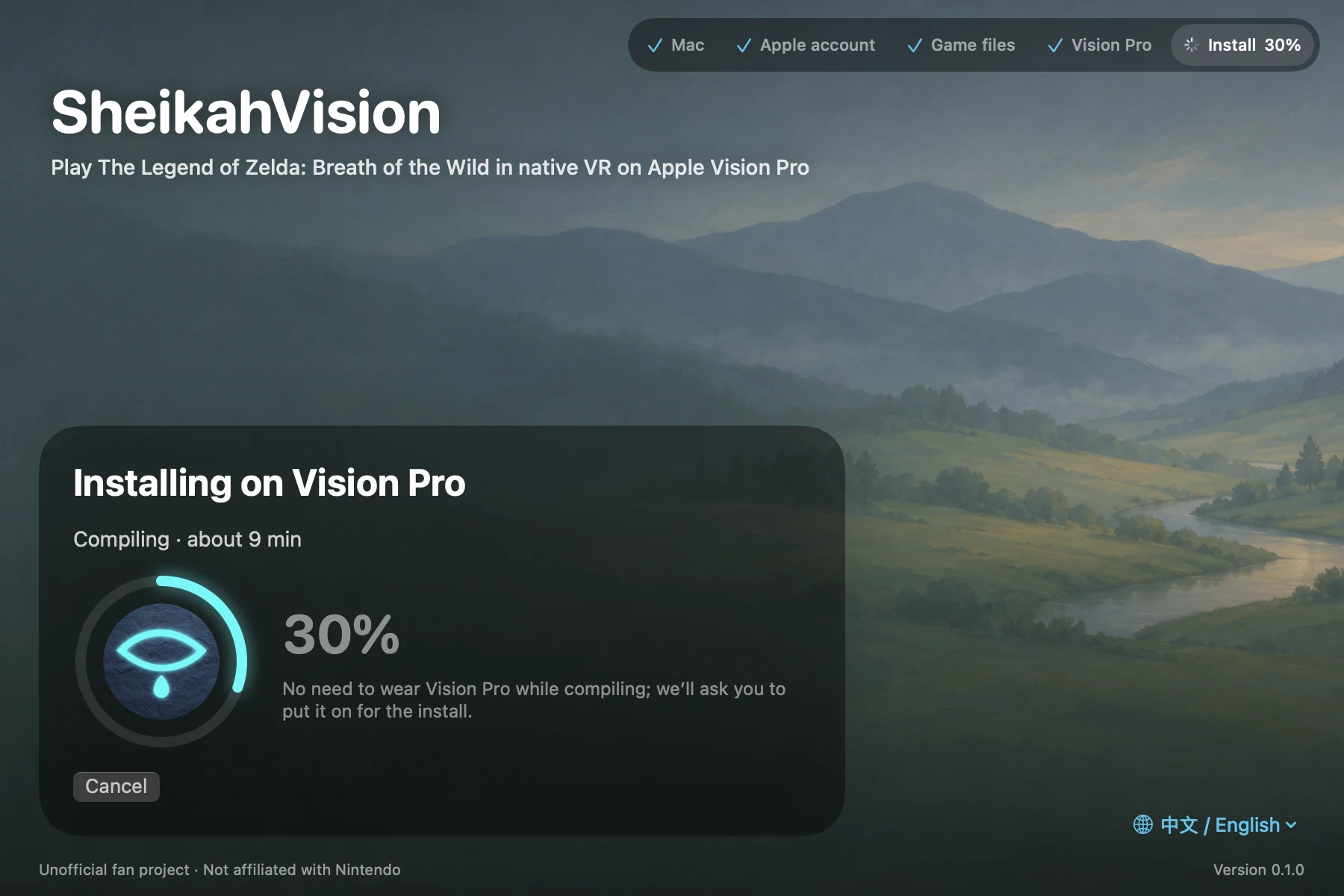
The installer building and installing SheikahVision, 30% done
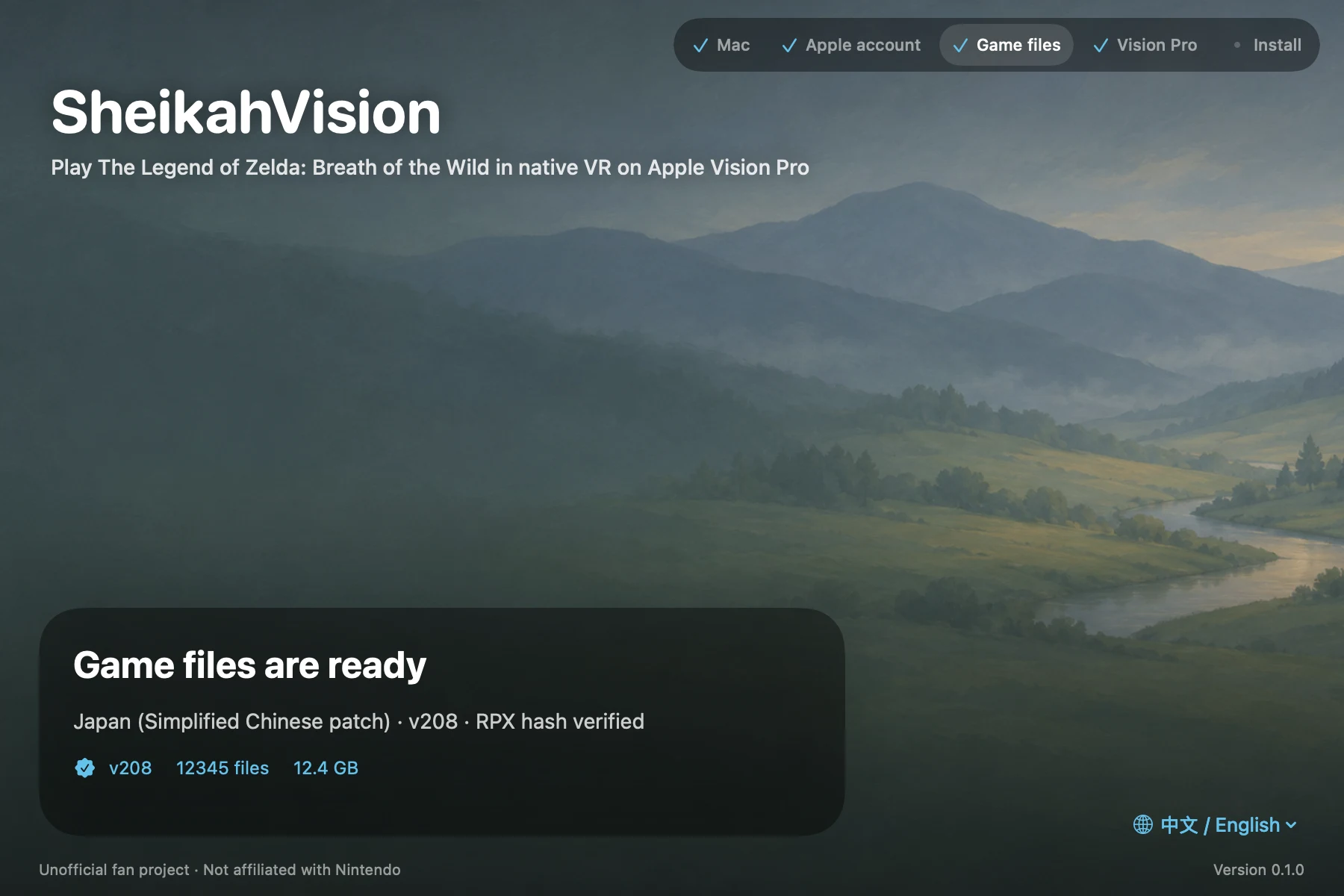
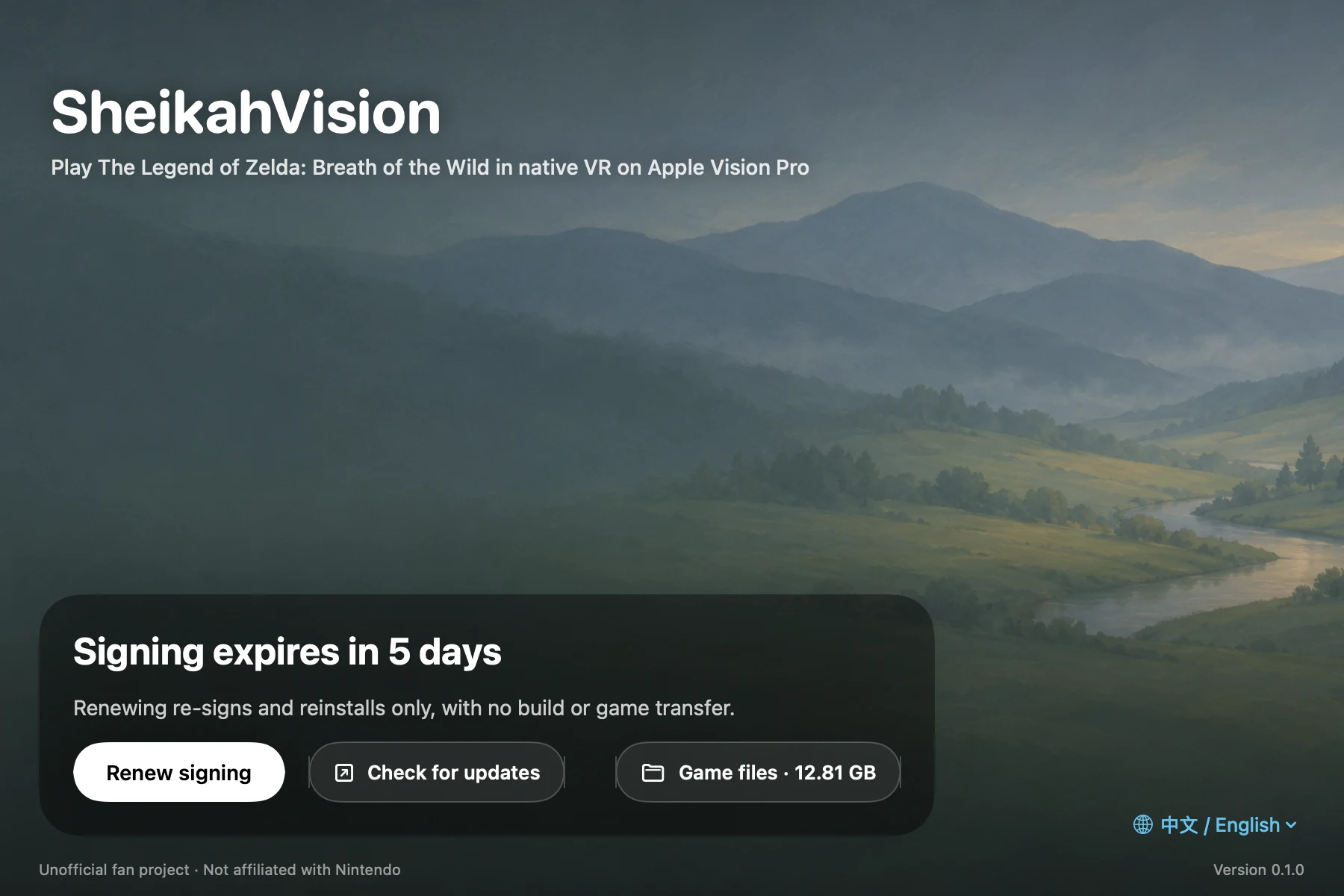
The installer after checking the game files: v208, hash verified The installer's home screen: renew signing, check for updates
The Mac installer: install progress, game files checked, and renewing a free account's signing.

How it works

  1. Prepare your Mac

    Set up Xcode, sign in with your Apple account, and install the build tools.

  2. Open the installer

    Download the Mac installer from GitHub Releases.

  3. Select your game files

    After the Mac check, choose your Apple account and select the base game and v208 update together.

  4. Install on Vision Pro

    Pair the headset, click Install, and put it on when prompted. The game imports on first launch.

Read the installer guide

What you’ll need
  • Apple Silicon Mac

    At least 25 GB free for the build (about 40 GB is comfortable), Xcode 26 or newer with the visionOS component, and cmake, ninja, and uv.

  • Apple account

    Sign in to Xcode. A free account works and requires renewing the app’s signature every 7 days.

  • Vision Pro and controllers

    Enable Developer Mode and pair Vision Pro with your Mac. Pair two PS VR2 Sense controllers with the headset.

  • Wii U game files

    Your own legally purchased copy of Breath of the Wild and the v208 update.

Install Xcode from the Mac App Store. In Xcode, download the visionOS component under Settings › Components and sign in under Settings › Accounts. The visionOS SDK is used for the build.

Install the build tools with Homebrew. The installer will tell you if any are missing.

brew install cmake ninja uv

The installer uses your own game files. The project does not distribute game files, keys, or prebuilt game apps.

02 Controls

Play with your hands.

Swing a sword, raise your shield, and draw a bow with both hands using PS VR2 Sense.

Illustrated PS VR2 Sense button assignments and body gestures
Show text guide

Left controller

L2 trigger
Lock on / guard
Left stick
Move (where you look)
Press: crouch
△ Triangle
Tap: use rune
Hold: rune menu
□ Square
Confirm
Left grip
Grab / interact

Body gesturesSeen from behind

Both hands at mouth
Squeeze both grips: whistle
Left shoulder + grip
Bow
Hold: quick menu
Right shoulder + grip
Weapon
Hold: quick menu
Shield at chest
Guard
Push forward: parry
Right hip + hold grip
Drop the weapon

Right controller

R2 trigger
Bow
Melee weapon raised by your head: throw
Right stick
Snap / smooth turn
Tap: whistle · Hold: scope
○ Circle
Tap: back · Hold: run
✕ Cross
Jump
Options
Tap: inventory · Hold: map
Right grip
Attack
Hold: charge

Fight

Swing or thrust the weapon to attack.

Bow

Hold R2 with the right hand, pull back, release.

Pause menu, map and camera

Left grip confirms · Right grip goes back · L2 / R2 switch pages · Right stick changes categories

Magnesis

While holding an object, the right stick moves it left / right and up / down. Hold R2 or the right grip and push the right stick forward / back to push it away or pull it closer.

03 Technology

From Wii U to visionOS.

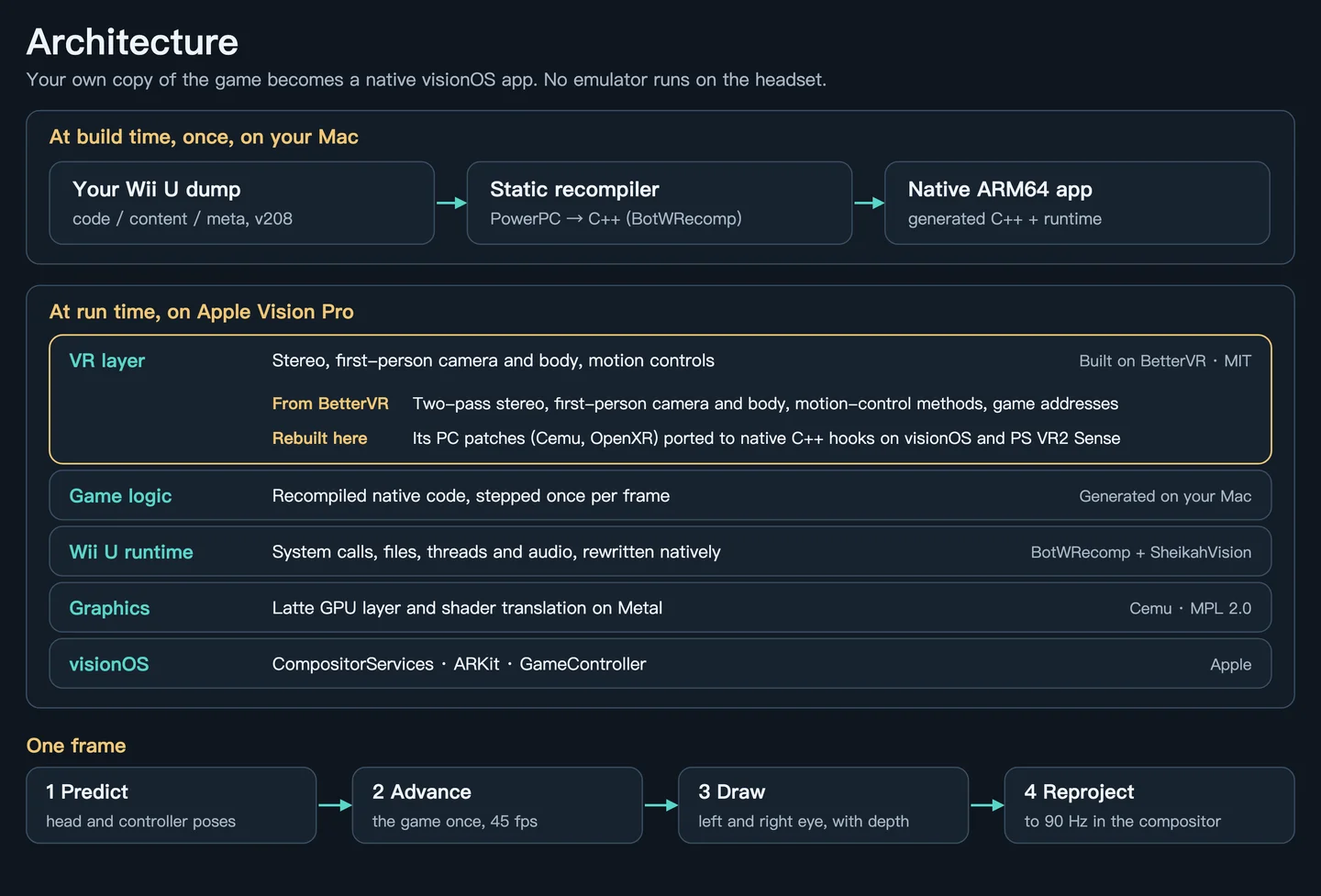
Recompile the Wii U game on your Mac and run it as native ARM64 code on Vision Pro.

How it runs

Built on Mac. Played on headset.

  1. Your own Wii U v208 game files
  2. Static recompilation via BotWRecomp
  3. Native ARM64, with a Wii U system runtime
  4. Cemu’s Latte graphics on Metal, with stereo VR on visionOS
View the architecture diagram Build-time recompilation on Mac and the visionOS runtime layers on Vision Pro

Beta · device testing

What to expect today

Tested on
Vision Pro M5 · visionOS 27
Render resolution
Approx. 1540 × 1345 per eye
Game frame rate
45 fps target
Headset reprojection
90 Hz
Vision Pro M2
Untested

Most of the game is playable in first person. Busy areas such as Korok Forest and towns can dip below 45 fps, and improving image sharpness is the main work in progress.

05 FAQ

Good to know.

Can I use the Switch version?

The build targets the Wii U release with update v208. US and Japanese versions have been tested. The European version is supported and still needs testing.

Can I install a ready-made app?

No ready-made game app is ever distributed. The Mac installer builds and signs the app on your own Mac from your own game files; the source is on GitHub.

Will a free Apple account work?

Yes. An app signed with a free account stops opening after seven days; open the installer and choose Renew signing. It only re-signs, and your saves are kept. A paid developer account lasts a year.

Do I need the visionOS Simulator?

No. You need the visionOS component in Xcode › Settings › Components because it holds the visionOS SDK used to build the app for the headset. Xcode downloads the simulator along with it; the installer never uses it.

How do I update?

Download the new installer from Releases and choose Install new version. The app is rebuilt and installed over the old one; your game and saves are kept. Each release lists what changed.

Can I help without a headset?

There’s a Mac build for development and testing, including a VR development mode.

Acknowledgements

Built on community work.

BetterVR

Crementif and contributors’ VR research and interaction design.

BotWRecomp

Ishaan Kalra’s static recompilation of the Wii U game.

Cemu

The Latte graphics layer, rendering through Metal.

Glovebox

The Mac installer for Half-Life: Alyx on Vision Pro, which our Mac installer is modelled on.